
Back
HRMS Application
Information Architecture redesign for a HRMS App
Redesigned the information architecture (IA) of an existing SaaS-based Human Resource Management System (HRMS) to address critical usability and scalability challenges. The project focused on creating a more intuitive and efficient user experience while establishing an adaptable framework to accommodate future feature expansion.
My Role
As the Senior UX Designer, I was responsible for auditing the existing information architecture, identifying usability gaps and content redundancies, and redesigning the structure to improve navigation, content discoverability, and overall user flow.
Understanding the Challenges
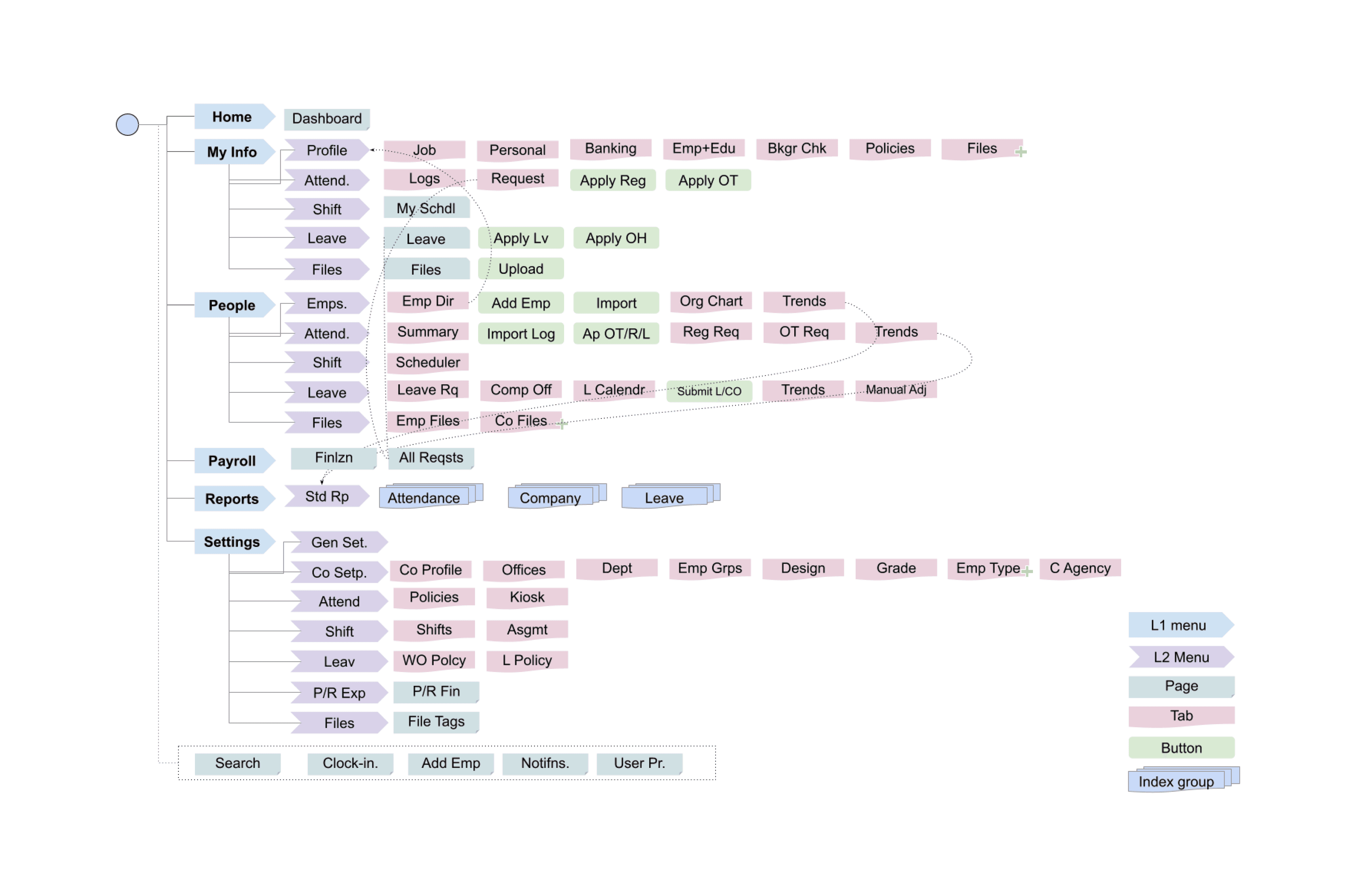
The existing HRMS application faced several information architecture challenges
Limited Scalability
The design couldn't accommodate new features effectively—adding modules led to cluttered, hard-to-maintain navigation.
Hard-to-Find Settings
First-time users struggled to locate settings within the deep, complex menu structures.
Information Overload
The volume of information overwhelmed users, reducing their efficiency and causing confusion.
Poor User Mental Model
The application's structure didn't match how users expected it to work, creating frustration and making it harder to learn.
Limited Personalization
The system couldn't be customized for different user roles, which especially affected the employee experience.
Current IA
Design Process
The Information Architecture redesign process involved user research to identify pain points, evaluation of existing architecture, development of improved navigation and organization structures, creation of wireframes for visualization, usability testing with actual users, and iterative refinement based on feedback. This systematic approach delivered an intuitive and scalable information architecture that resolved usability issues while supporting future expansion.
User Research
IA Analysis
IA Redesign
Wireframing
Usability Testing
Iteration
Solution Exploration
Key Solutions
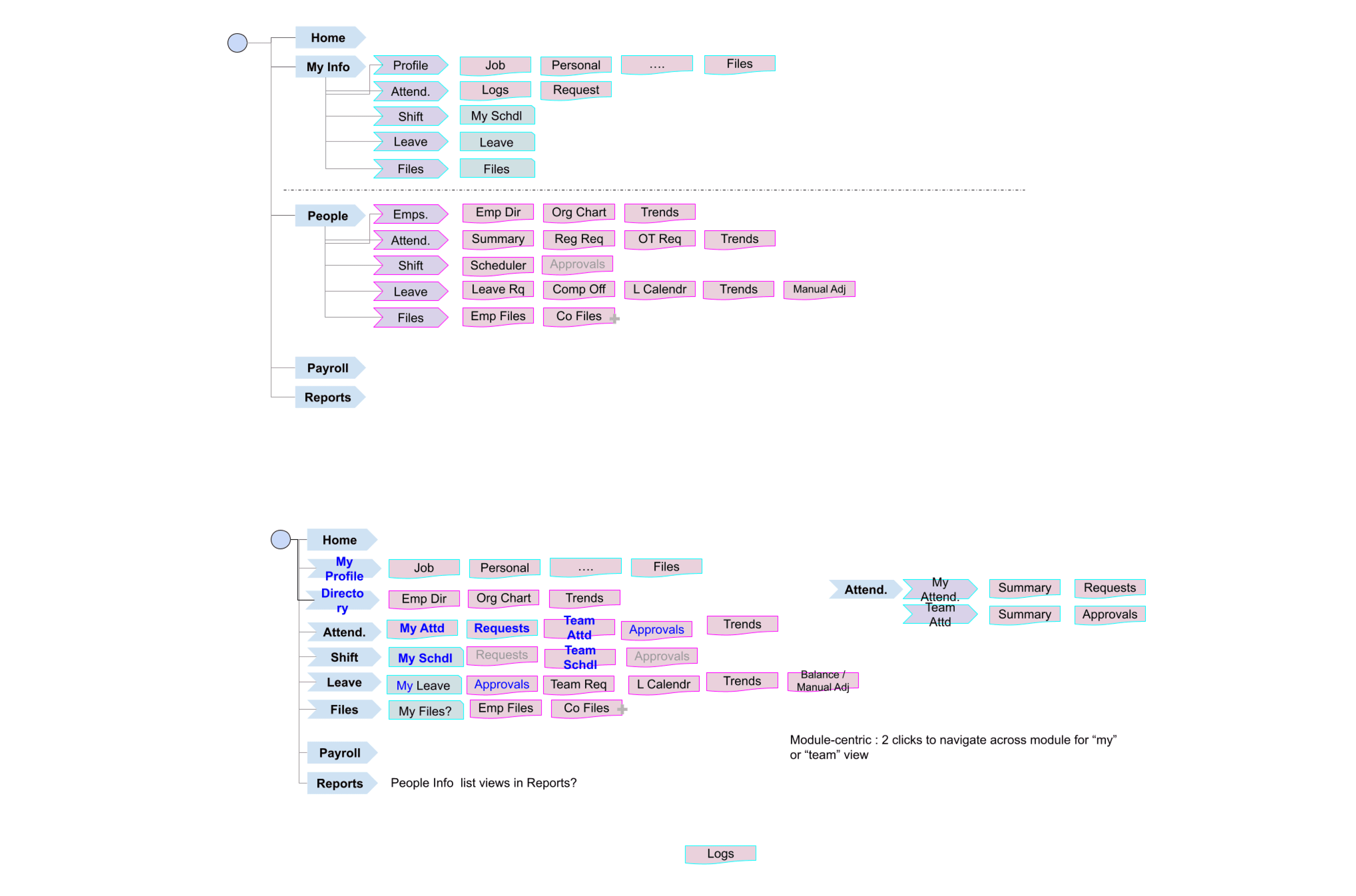
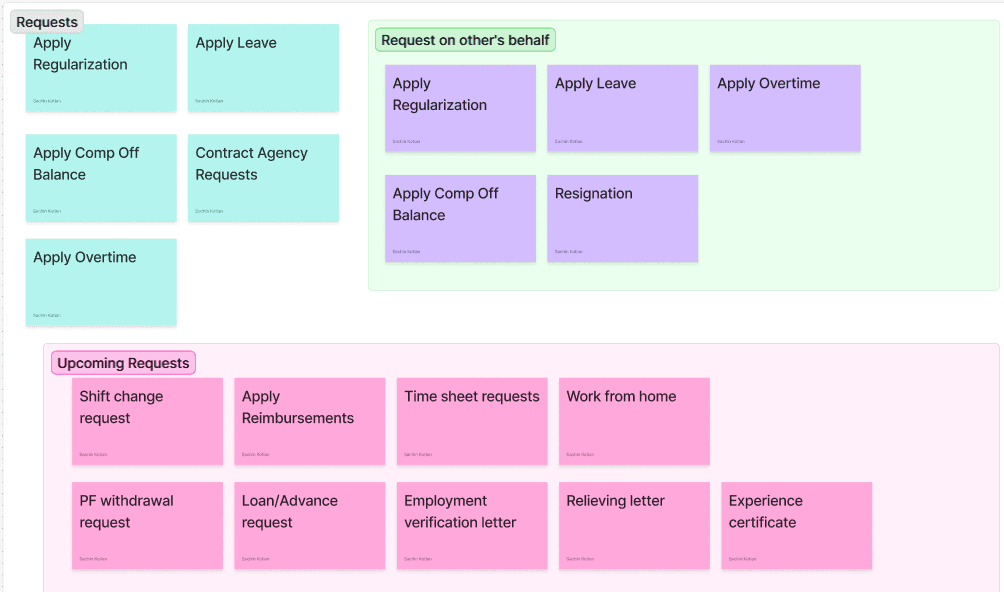
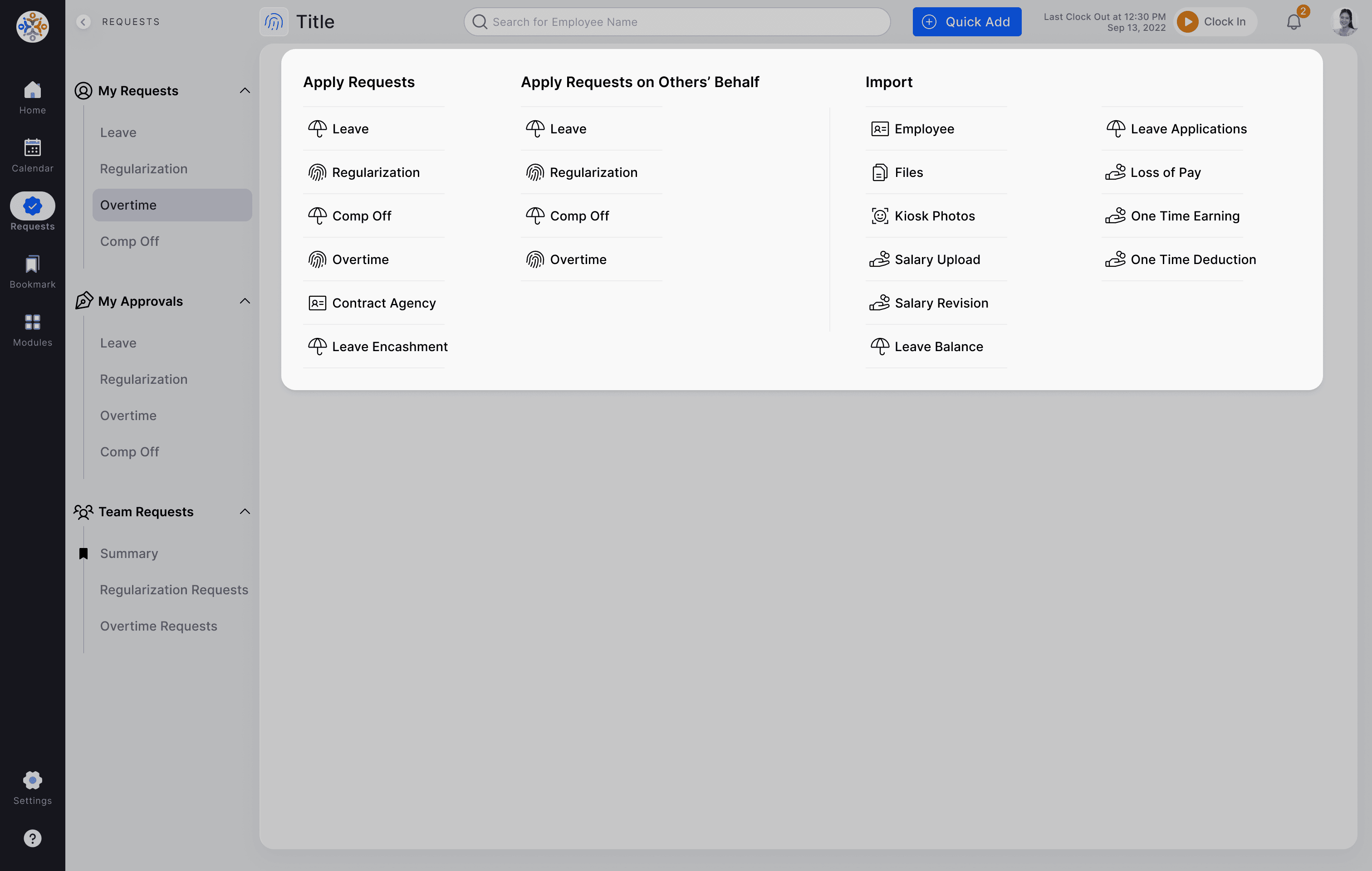
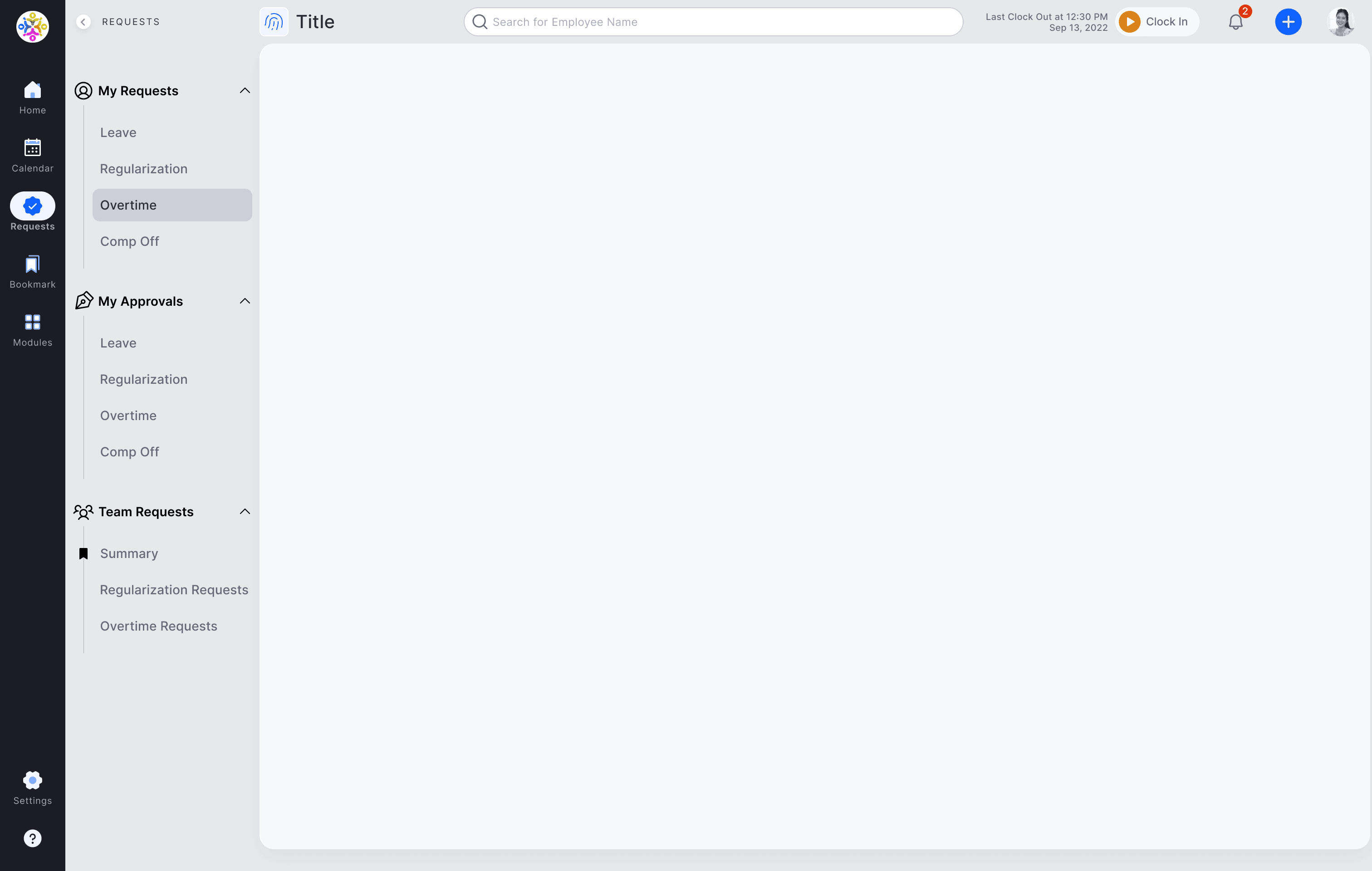
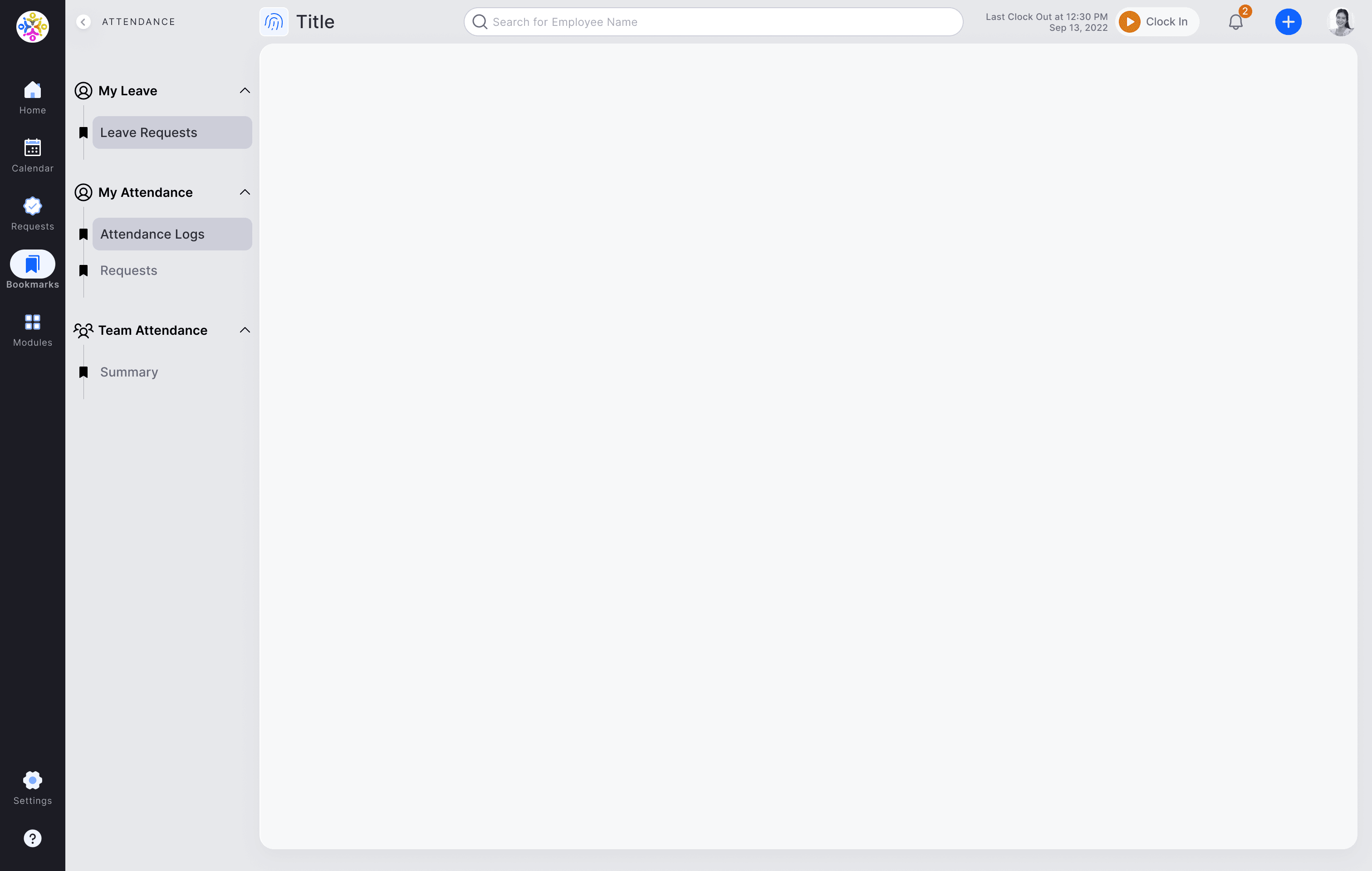
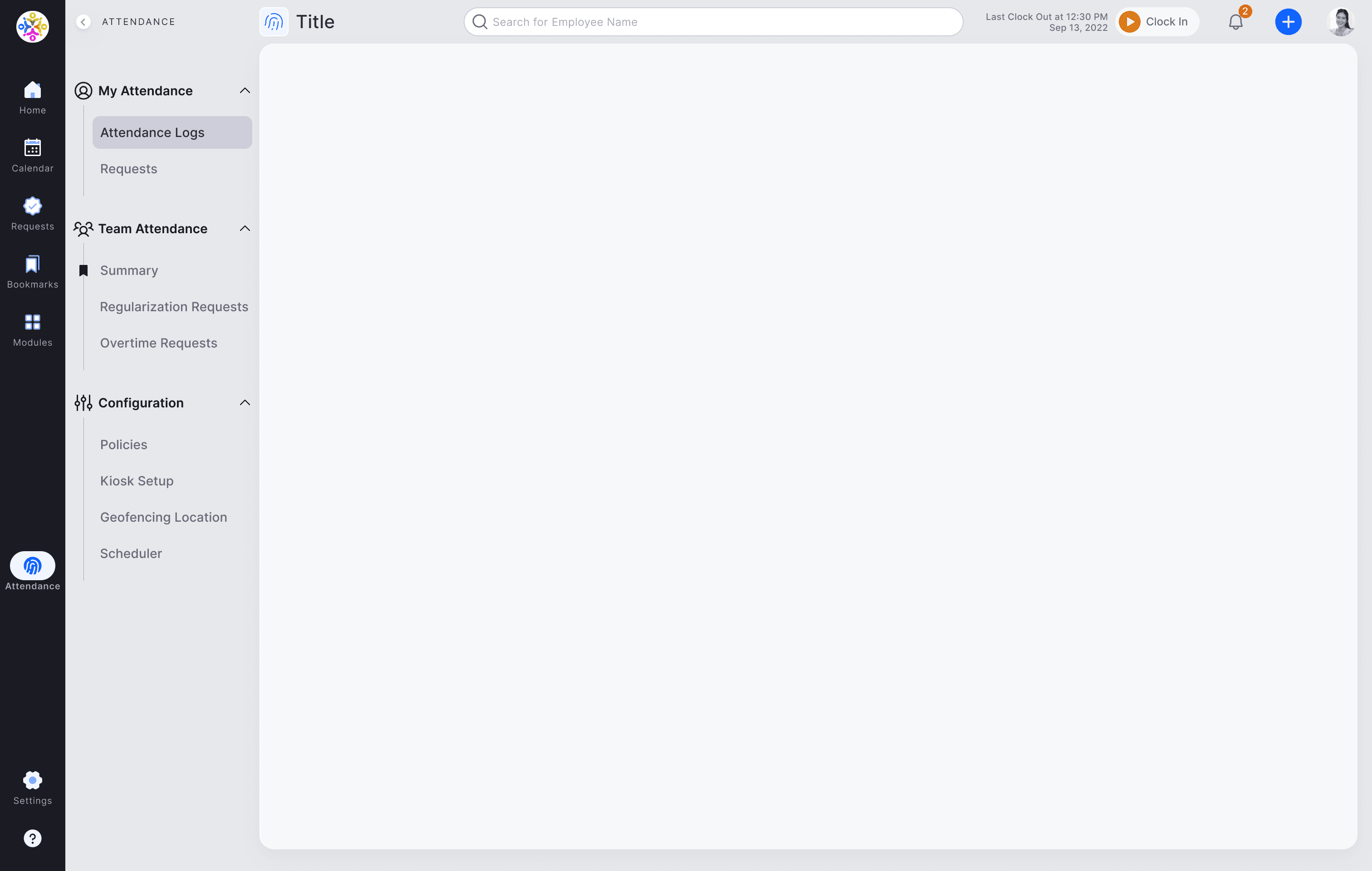
The IA was redesigned with themes such as scalability, simplified navigation, logical grouping, and personalization in mind, ensuring users with different roles can experience consistent navigation when their role changes.
Scalable Navigation
A modular navigation system was implemented to accommodate future growth and feature additions. This system allows for easy addition, removal, and reorganization of modules.
Simplified Navigation
The navigation structure was streamlined, reducing the number of levels and clicks required to access information. Important functions are placed in a consistent manner.
Logical Grouping
Content and features were reorganized into logical groups based on user tasks and mental models. This made it easier for users to find what they needed.
Clear Labeling
Consistent and user-friendly labels were used throughout the application to improve clarity and reduce ambiguity.
Personalization
The application was designed to support user-specific customization, allowing users to personalize their dashboards and access frequently used features quickly.
Global Search Enhancement
The already feature-rich global search functionality was improved with discoverability and shortcut access for power users.
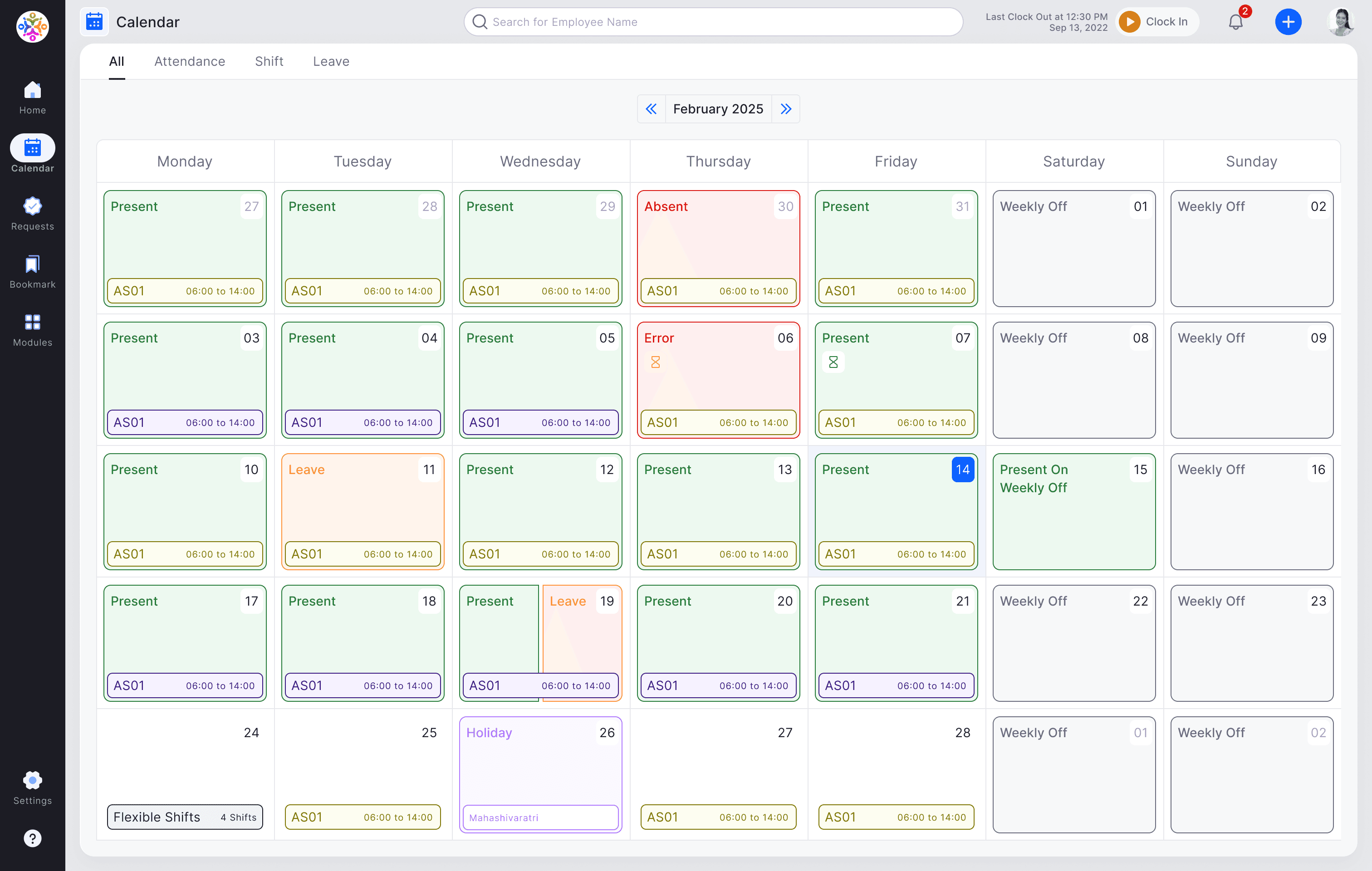
Unified Calendar
A unified calendar that brings data points from different places into one place.
Expected Outcome
Initial usability testing showed a 25% improvement in task completion time and a 20% reduction in user errors.
Increased user satisfaction and engagement
Improved efficiency and productivity
Reduced training costs
Enhanced scalability and maintainability of the application
Improved user adoption of new features
Future Considerations
To ensure the long-term success of the redesigned IA and maintain a user-centered approach, the following factors will be considered:
Continuous Monitoring and Analysis
Regularly track user behavior and gather feedback to identify areas for further improvement. This can be done through analytics, user surveys, and usability testing.
Iterative Updates
The IA will be treated as a living system, subject to ongoing refinement and updates based on user feedback and evolving business needs.
Scalability Planning
As the application grows, the IA should be continuously evaluated to ensure it can accommodate new features and modules without becoming cluttered or confusing. Consider information architecture patterns that support scalability, such as faceted navigation or progressive disclosure.
Accessibility
Ensure the IA adheres to accessibility standards (e.g., WCAG) to make the application usable for everyone, including users with disabilities.
Personalization Enhancements
Explore more advanced personalization options, such as AI-powered recommendations and adaptive navigation, to further tailor the user experience to individual needs.
Cross-Platform Consistency
To ensure a consistent IA in mobile application to provide a seamless user experience.
Documentation and Style Guides
Maintain comprehensive documentation and style guides to ensure consistency in the IA and facilitate future design and development efforts.
Training and Support
Provide adequate training and support to help users adapt to the new IA and maximize its benefits.
Regular Stakeholder Communication
Keep stakeholders informed about the ongoing evolution of the IA and its impact on the user experience.
Conclusion
his project successfully addressed the IA challenges of the HRMS application, resulting in a more user-friendly, efficient, and scalable design. The user-centered design approach, combined with iterative testing and refinement, ensured that the final solution met the needs of both users and the business. The redesigned IA also provides a strong foundation for future development, allowing the HRMS application to evolve and adapt to changing user needs and business requirements. By prioritizing continuous monitoring, iterative updates, and proactive scalability planning, the application can maintain an optimal user experience as it grows.